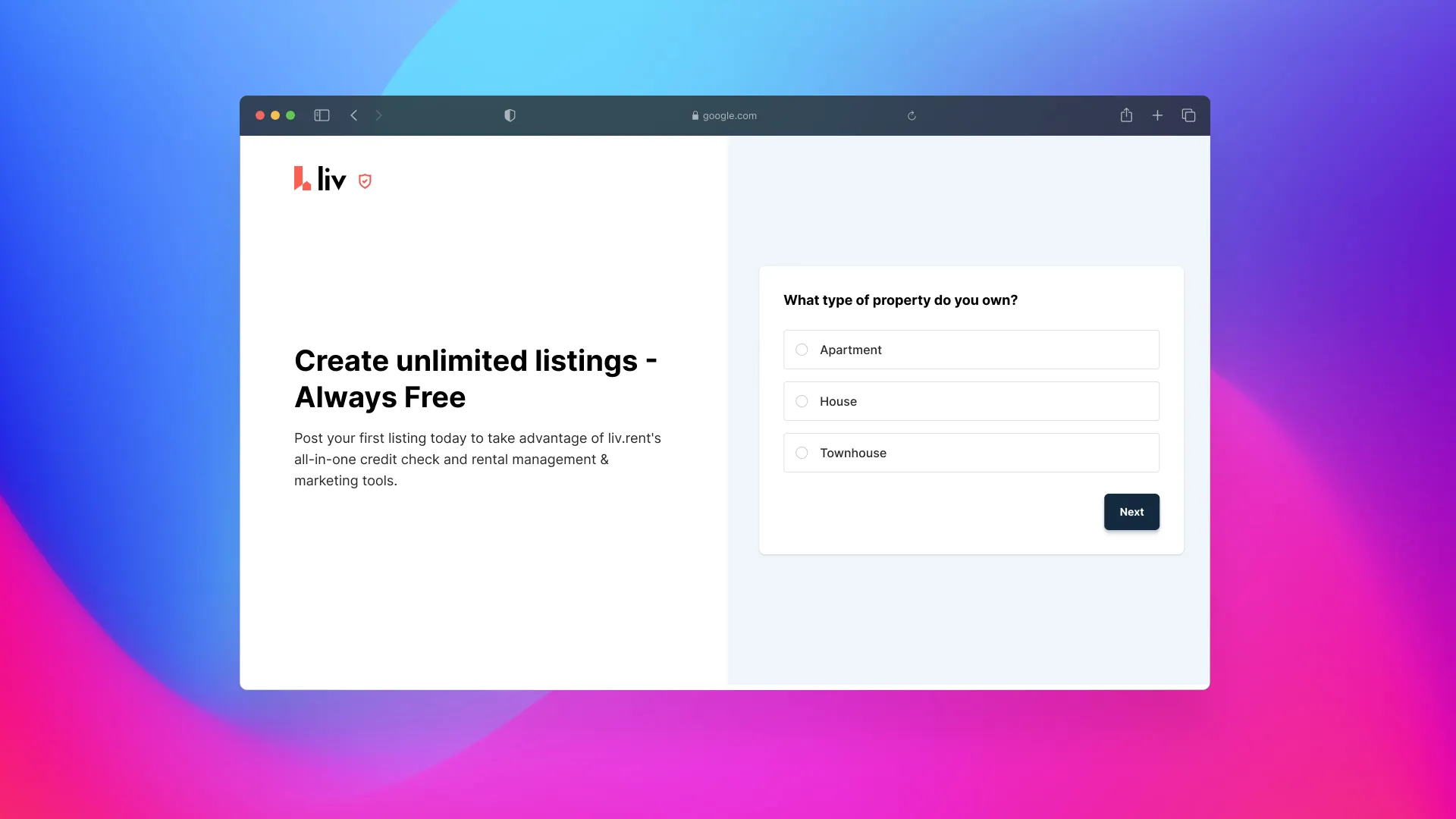
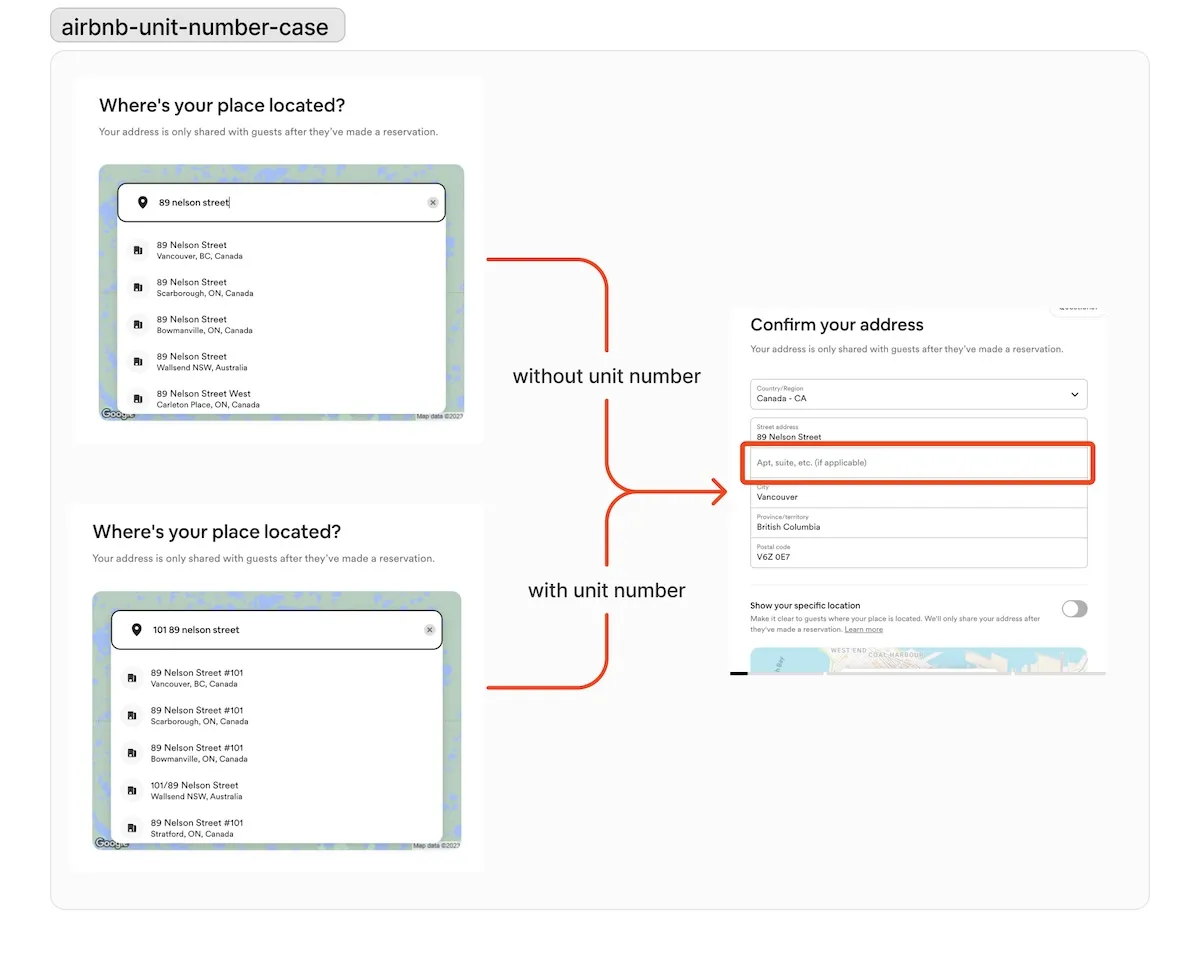
audit of current flow
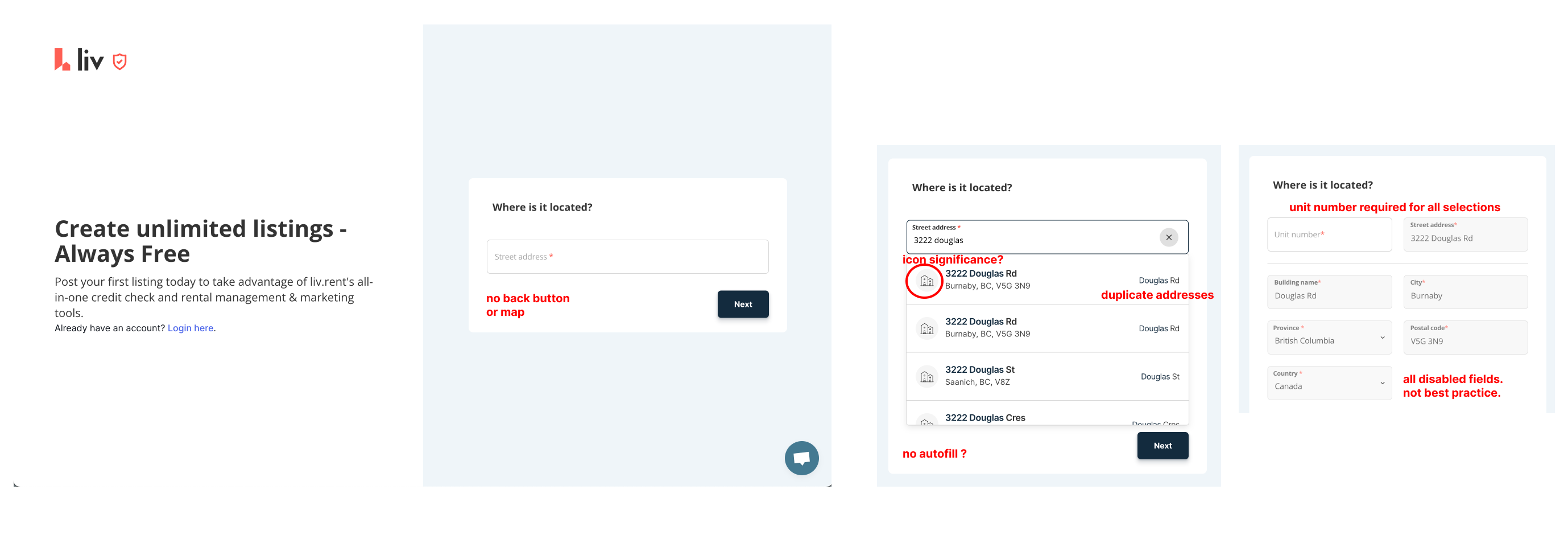
To provide a comprehensive understanding of the current state of Liv.rent's post-a-listing flow, I conducted an audit to identify its strengths, weaknesses, and areas for improvement. Here are the key findings:
-> Duplicate Addresses: The occurrence of duplicate addresses leads to confusion and inefficiencies in the listing creation process
-> Address Search Issues: Landlords encounter difficulties in finding their addresses, resulting in frustration and potential abandonment of the listing creation process
-> low conversions: unsure why users aren't converting, so we will analyze the confusing elements, accessibility, lack of clarity, and rage clicks through hotjar screenings
Moreover, there's a need to address issues such as users' frustration points, pinpointing where users abandon the process, and comprehending both their micro and macro goals, Jobs to Be Done (JTBD), and edge cases. By prioritizing these aspects, we aim to minimize friction, guide users back to the happy path, and enhance overall user experience.
competitive analysis
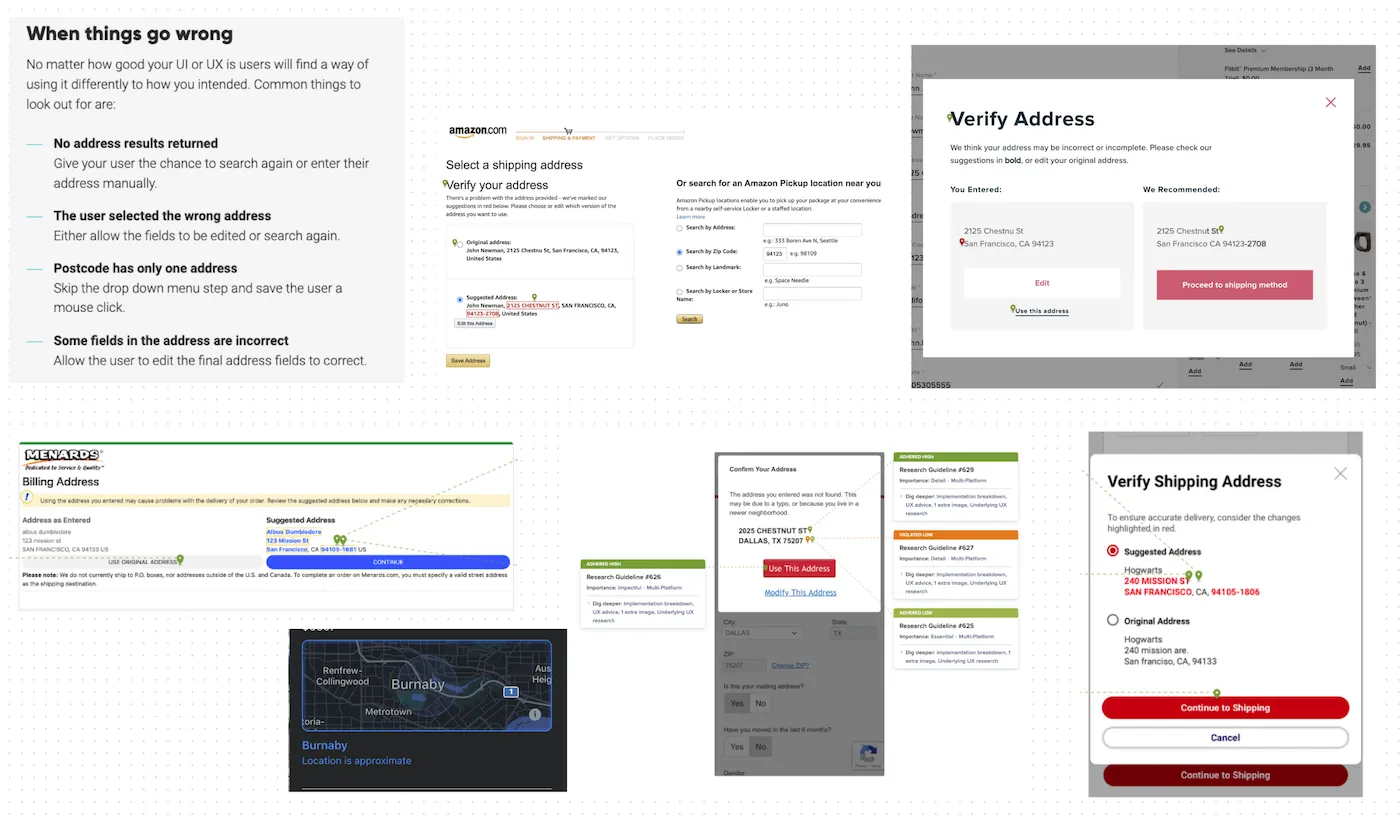
I conducted a thorough competitive analysis with the design team, closely examining and comparing the landlord sign-on flows of major industry players like Airbnb, Zillow, and Craigslist. The goal was to glean insights, identify best practices, and uncover opportunities to enhance Liv.rent's own landlord sign-on process.
user analysis
I conducted interviews with several landlords to gather insights into their experience with the post-a-listing flow. These property owners, managing various rental properties, were tasked with navigating the flow using multiple different addresses. Throughout the process, I observed and documented their pain points, which proved invaluable for refining user personas later on. By immersing ourselves in the user's perspective and noting their challenges, we gained valuable insights to inform future design decisions and enhance the user experience.
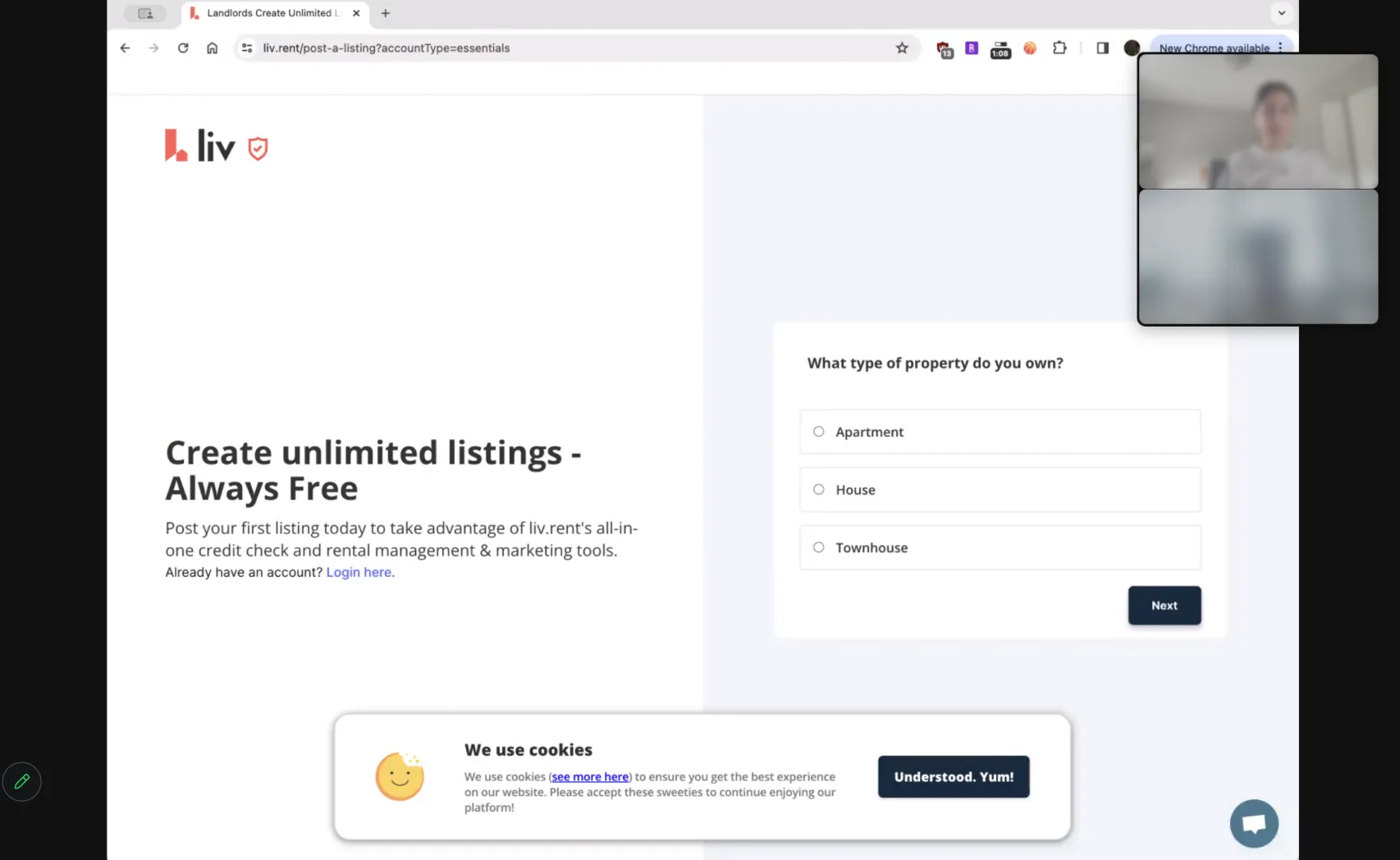
* Faces of users have been blurred out to ensure privacy and confidentiality
secondary quantitative research
30%
faster if autofill is used for filling out forms, according to google research
20%
higher completion rate with clear labels and visual cues, as reported by NN/g
15%
increase in completion rates for mobile-optimized forms, via Google's Mobile Optimization Guide
Follow Regional Trends: Address forms should reflect regional addressing conventions to cater to users worldwide effectively. Understanding how different regions structure their addresses helps in designing forms that are intuitive and familiar to users.
Mind the Details: Pay attention to specific details like territorial divisions, naming conventions, and terminology used in addresses. Providing a highly localized experience ensures that users feel the form is tailored to their needs, reducing confusion and enhancing user satisfaction.
reduce Friction: Incorporating features like autocomplete and geolocation can streamline the address input process and enhance user experience. Autocomplete functionality can expedite form filling, especially on small screens, while geolocation can pre-fill address fields accurately based on the user's location, reducing manual entry and potential errors.
user journey mapping
During my secondary research stage, I came across a quote that perfectly encapsulated the direction I wanted to take for the redesign:
"You can certainly create an experience that is good enough and will work for people around the world, but it won’t necessarily feel like it’s meant for them." – Virginia Start,
Designing address forms for everyone, everywhere
Creating an interface that just works for everyone globally is one thing, but the real win comes from crafting an experience that feels like it's made just for them. That's what user-centered design is all about— getting into the heads of your users and understanding what they really need. Thinking about Liv.rent's post-a-listing flow from this angle means we can make it super intuitive and meaningful for all our landlords, no matter where they're from.
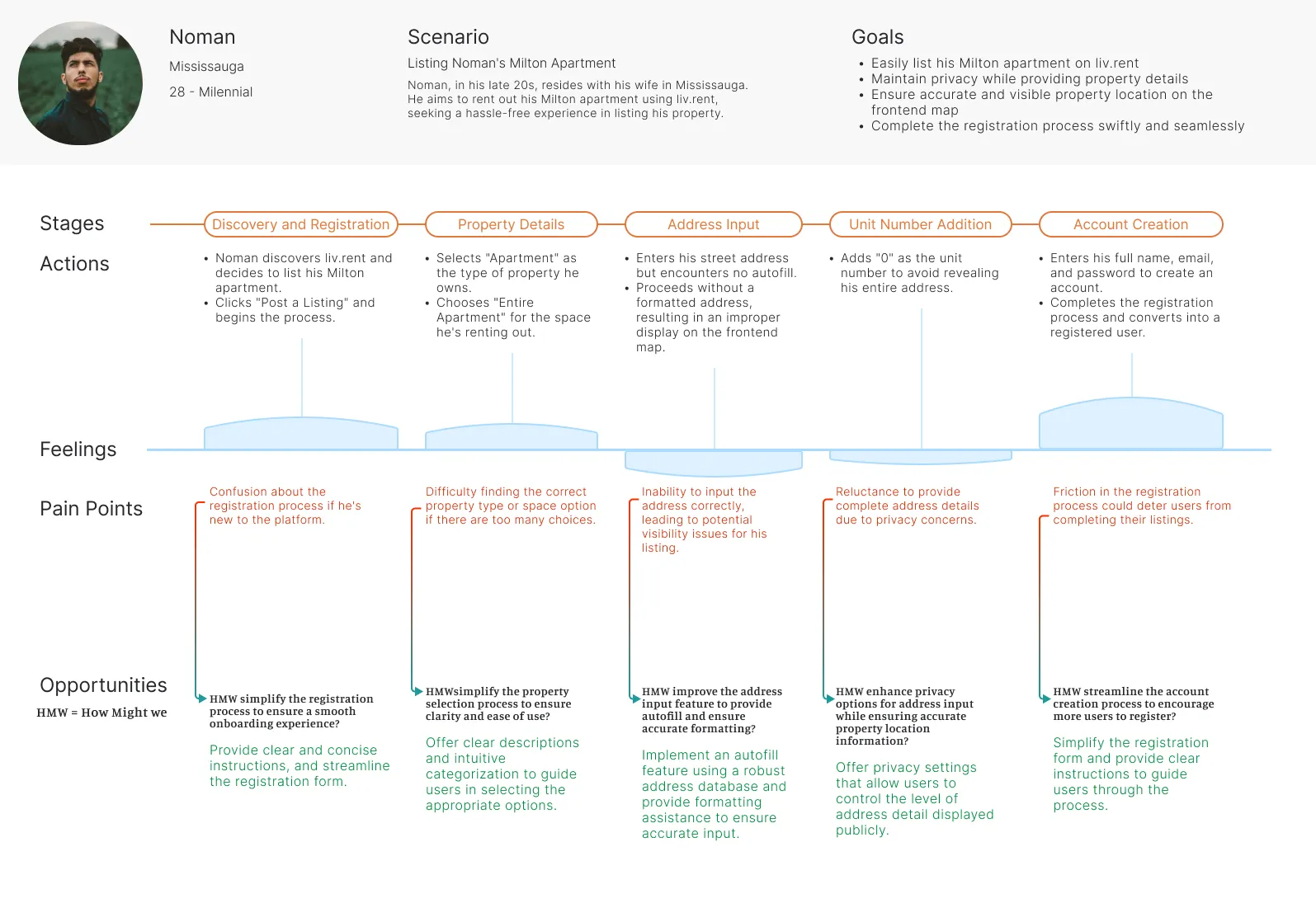
a problem statement summarizes who the user is, what they need from a design, and why. it follows this following template: [name of user] is a [type of user] who needs [type of user experience] because [benefits of user experience].

Noman is a landlord in his late 20s residing with his wife in Mississauga, seeking to list his Milton property on Liv.rent. He needs a seamless address input experience because he wants to accurately provide property details without encountering duplicates or errors, ensuring a smooth and efficient listing process.
a hypothesis statement helps designers move from defining problems toward ideating solutions; we can make an educated guess about what might be the best solution to the problem we've identified in the problem statements; usually an if-then statement.
If Noman can easily input his property address on Liv.rent without revealing sensitive information, then he will be more likely to complete the listing process, leading to increased user satisfaction and higher conversion rates.
In the brainstorming and analogous inspiration phase, I researched competitor websites and blogs for inspiration. some must-haves that came about during my discovery phase were:
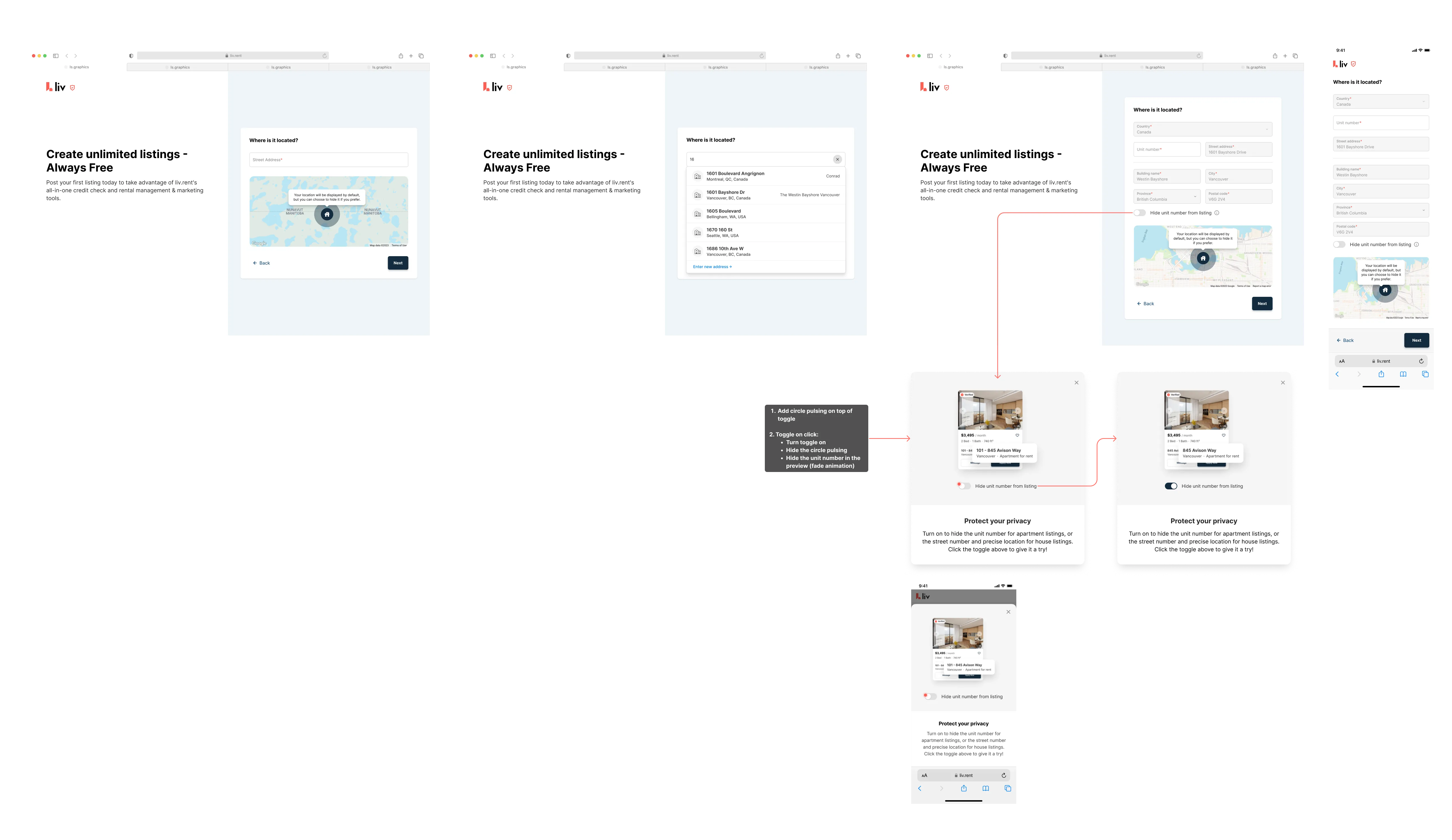
-> use an address API for autofill
-> provide an easy way to allow users to override the autofill feature
-> map preview
-> include a back button in every part of the wizard form
-> change "zip code" to strictly "postal code"
By leveraging APIs to fetch addresses and preventing duplicates in the database, with assistance from the development team, the process became smoother. These improvements, informed by secondary and primary research, were seamlessly integrated into polished designs. we then gathered insights from landlord user interviews and conducting thorough testing of the refined flow, and discovered it to be more user-friendly and less error-prone.
view production
The revamped post-a-listing flow brought significant improvements to Liv.rent's landlord sign-up process. Within a short timeframe, we observed a notable increase in user engagement and visibility. our strategic implementation of address validation led to a substantial reduction in user errors and increased accuracy in property listings, fostering a more seamless user experience.
18%
decrease in user errors
25%
increase in sign-up rates